Requirement Agreed
Help every new teammate find their feet.
A shared outcome. A clear starting point for the work ahead.
MLMaya · Product
RedRover maps how goals, releases, requirements, people and customer commitments fit together. Executives get decision support. Developers get delivery context. RICE, dashboards, reporting, files, meetings, Maggie, MCP and REST APIs are built into the system.
Free during beta · No card required · Free for Hatchery customers

One goal. Agreed scope. A release everyone can follow.
Your project is more than a list. Fly through the decisions behind you, the people moving work today, and the release coming into view.
A shared outcome. A clear starting point for the work ahead.
Connected to the onboarding requirement. Owned by a person. Moving toward a release.
The context stays with the journey.
Review together. Capture what matters. Keep moving.
Requirements, tasks and people, all heading toward the same moment.
Explore an example. Your workspace shows your real work.
Capture the sound. Connect the follow-up to tasks and people. Give every meeting a playbook your team can make its own.
Meeting TODOs · Reusable workflows · Audio recorder preview“Colin, check the export. Maya, confirm the acceptance criteria.”
That glorious moment when every loose end has a next move? Make it a daily victory.
Schedule the work. Snooze it until the right moment. Finish what’s ready. Hit Zero Inbox, celebrate your clear head, and come back for your next streak day.
Your daily challenge meets you on Today. A live Zero Inbox badge keeps your next win and streak in sight across the app.
Board cleared. Five-day streak unlocked.
Try a move. Watch your board clear.
A taste of the game. No account or work is changed.Start with the outcome and delivery window. Pull requirements from the backlog or another release, add new ideas, and arrange what is in scope, a stretch, or saved for later.
Search existing requirements and build the scope on one page. Keep delivery work unchanged while the plan takes shape.
Choose reviewers or the whole team. Send a one-time review invitation, use RICE estimates, compare priority ratings and emoji reactions, and discuss each requirement with comments and proposed tasks.
Review exactly what will move or be created, then publish the release and lock its scope. Open a focused release page with milestones, requirements and tasks together. Create a draft Task Order with the release scope already filled in.
A release is what you’ll deliver. A sprint is the next period of focused work toward it. Version 4.0.0 might take three sprints, each with its own goal and a manageable set of tasks.
See planned, active and completed sprints beside the release they support. Choose tasks from that release, including work connected through requirements, and see what still needs scheduling.
See the active sprint’s goal and task progress in the workspace. Sprint labels stay with tasks across desktop and mobile views, with a direct path back to the sprint.
Close a sprint with a preserved review and decide where unfinished work goes. Release acceptance remains its own decision. Sprints are optional; workspace owners choose when to enable them.
Bring meetings, release targets and milestones from your accessible workspaces into one shared picture. See the commitments ahead without opening each project separately.
Follow meetings, release targets and milestone dates across your organization, with the workspace named on each entry.
Overlay the workspaces you need and switch between month, week and agenda views to plan the next conversation or delivery.
The calendar respects existing workspace access. People see the workspaces and commitments they are allowed to view.
A complete project record. Space to think. A faster way to move work forward.
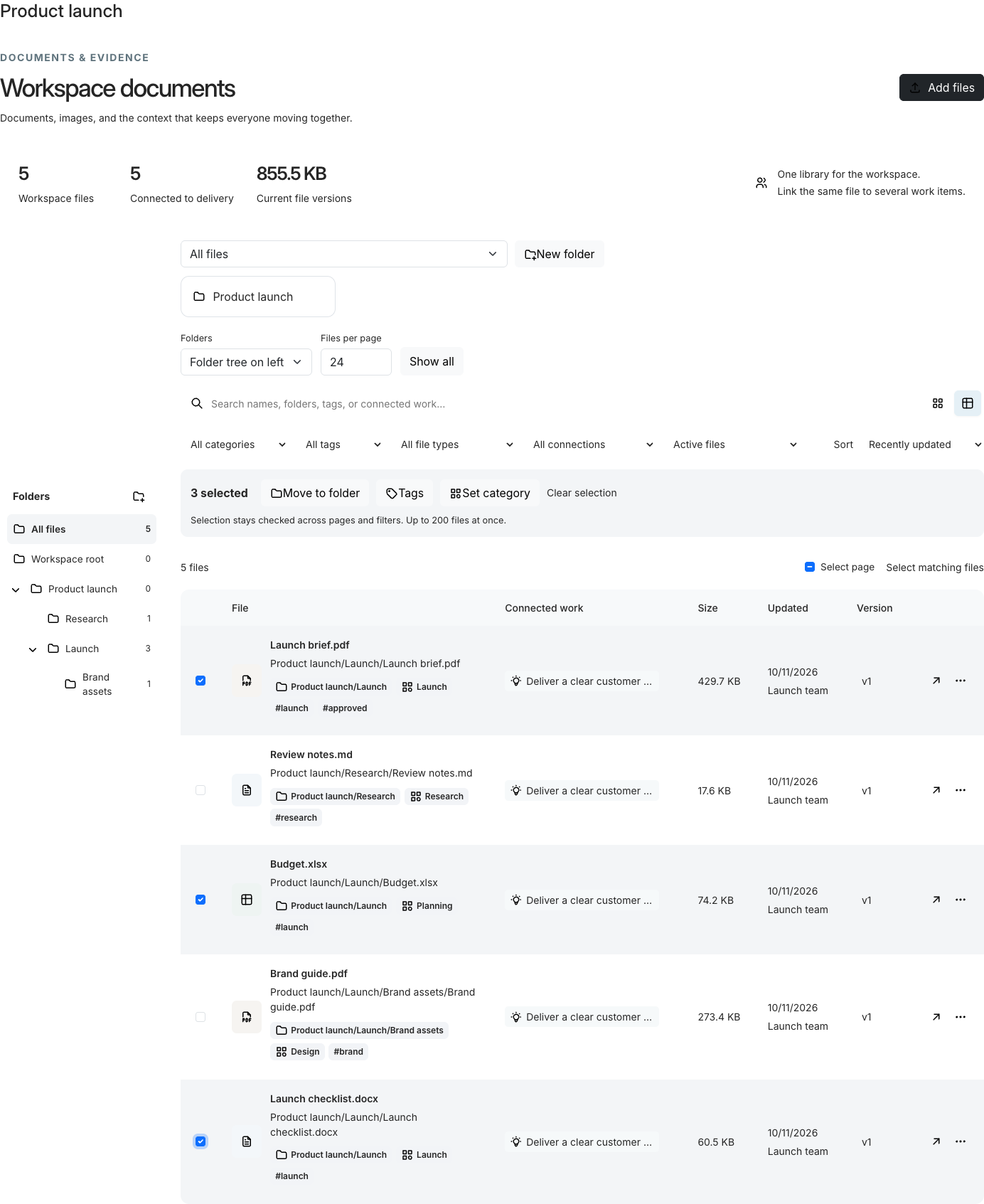
Upload folder trees with their supported files, keep the nested structure, and find the right document by name, tag, category or connected work.
Capture private notes, bring permitted tasks and requirements into your day, and plan the week in a focused desktop companion.
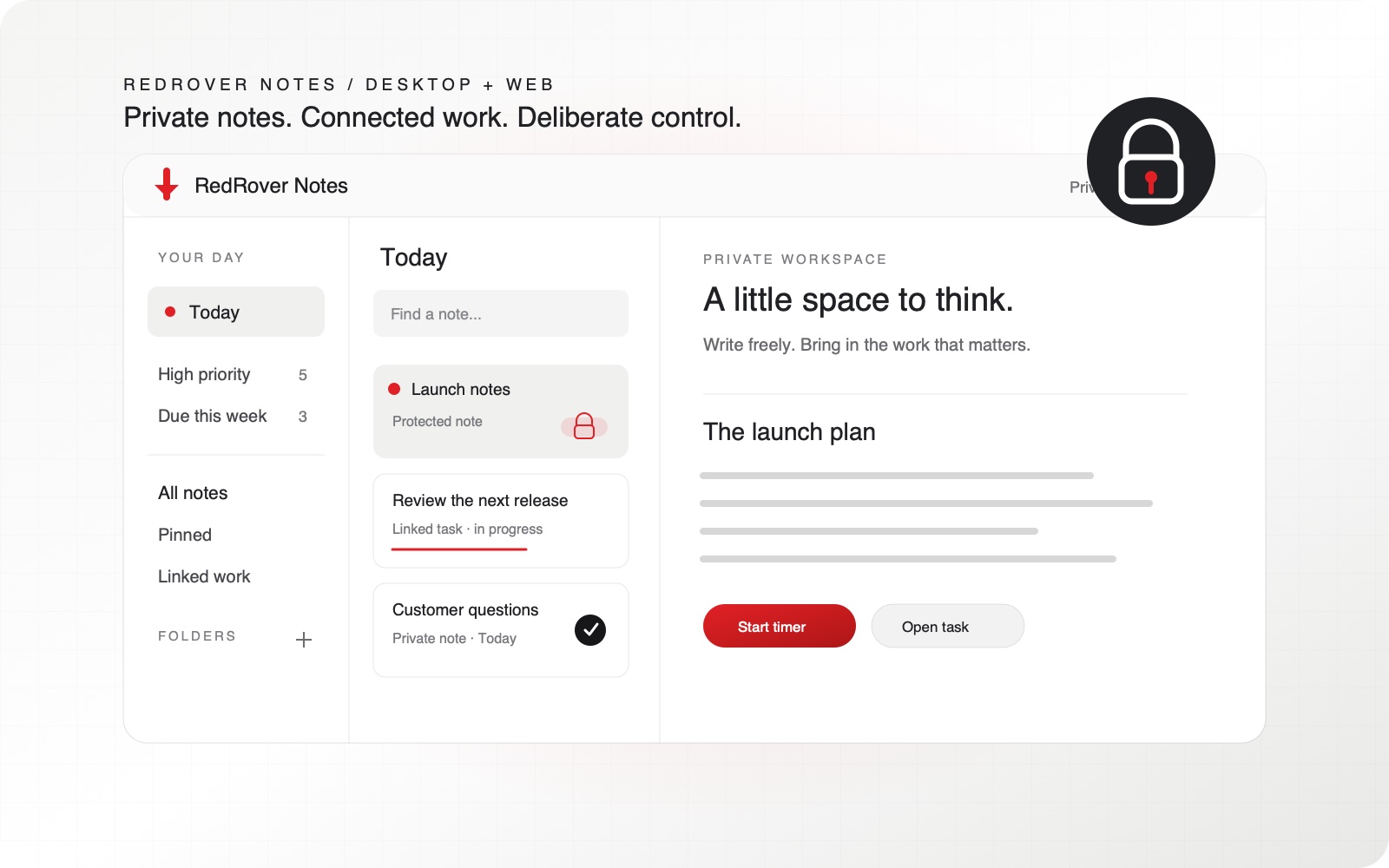
Product views use illustrative or demo content.
RedRover gives goals, requirements, releases and work their own meaning. Their relationships keep the purpose, commitment and evidence visible as delivery changes.
Set company goals with measures and dates. Define project outcomes and link project goals to releases and supporting work.
Describe the outcome and acceptance criteria. Compare reach, impact, confidence and effort with the built-in visual RICE editor.
Agree what the next delivery includes. Keep target dates, milestone checkpoints, scope, progress and required decisions together.
Break requirements into tasks and subtasks. Keep ownership, dependencies, discussion, files and recorded effort beside the work.
The same underlying work supports different decisions. Each person gets the views and access their role requires.
Follow corporate and project goals, release health and team capacity. Shape dashboards around the decisions you make. Drill into blockers, effort and customer commitments, then prepare clear leadership and project updates.
See the requirement, acceptance criteria and release behind each task. Use nested work, dependencies, boards, tables, Gantt views and optional sprints. Plan focus time, keep evidence with the work, and update it through the app, MCP or supported REST services.
The connections remain useful when you prioritize a requirement, plan a release, hold a meeting or explain what changed.
Build a personal command centre with reusable live widgets. Tailor role defaults and individual workspace access, including separate financial visibility.
Explore Custom dashboards and permissions ↗Prioritize with the built-in visual RICE editor. Review finite capacity, project reservations and release delivery scenarios.
Explore RICE and capacity planning ↗Use Workload and Company Health, monthly project reports and reviewed leadership or customer messages. Progress and evidence stay connected.
Explore Reporting and updates ↗Upload supported folder trees. Search, categorize, tag and move files in bulk, then link them to the work they support.
Explore Files and whole folders ↗Keep agendas, attendance, notes and attachments together. Link decisions to work and publish a reviewed recap to chosen recipients.
Explore Meetings and follow-up work ↗Use Maggie inside RedRover, connect a compatible assistant through MCP, or build with REST services. Each has supported actions and current permission controls.
Connect Codex, Claude Code or another compatible key-based MCP client. Find obligations, create or update supported work, append progress, plan focus blocks and track your own time.
Explore MCP for useful actions ↗Read workspaces and capacity. Read, create or update supported tasks, requirements, project goals, releases and milestones, and contribute comments. Use scoped API keys and current record versions.
Explore Versioned REST services ↗Ask about permitted work and company knowledge. Explain priorities and blockers with supporting evidence and charts. Review an editable roadmap or delivery plan, then apply it. Prompt Studio keeps reusable prompts and plans.
Explore Maggie, built into your workspace ↗CRM is part of your RedRover account. Your authorized account team shares prospects, contacts, pipeline stages and follow-ups. Workspaces organize the goals, requirements, releases and tasks your teams deliver.
Track prospect companies, objectives, owners, values and expected close dates. Keep active opportunities, wins, losses and stalled prospects in clear views.
Explore One account pipeline ↗Keep decision makers, champions, activity history and the next conversation with each prospect. Due follow-ups and stalled opportunities stay visible.
CRM access follows account roles and CRM permissions. Membership in a delivery workspace does not automatically grant access to the commercial pipeline.
We are inviting early adopters who want clearer delivery and are willing to help us learn. Start with a focused beta pilot, guided setup, and a direct feedback loop.
Choose a real goal and an upcoming release. We will help you connect the scope and start using the workflow.
Share the friction, test improvements, and help prioritize what makes a difference in daily work.
With your permission, turn a successful pilot into a case study. No fabricated outcomes. No automatic publicity.
Try three examples of how MCP connects a conversation to your delivery work.
Open the review task in RedRover. The assistant has retrieved current permitted records instead of guessing from yesterday’s pasted status.
A supported write saves the task into the same workspace. It still needs an owner and any review steps your workflow requires.
Keep personal planning attached to the task. Record actual time only when the work happens.
Interactive illustration with invented sample work. This demo does not connect to an AI provider or change a workspace.
Every feature, unlimited users, standard onboarding and support. Planned for February 1, 2027: 1,000 AI credits, 500 US SMS segments and 10,000 email recipient sends each month. Additional capacity requires an explicit purchase. Free during beta.
Join the beta. Bring your team, your work, and your point of view.